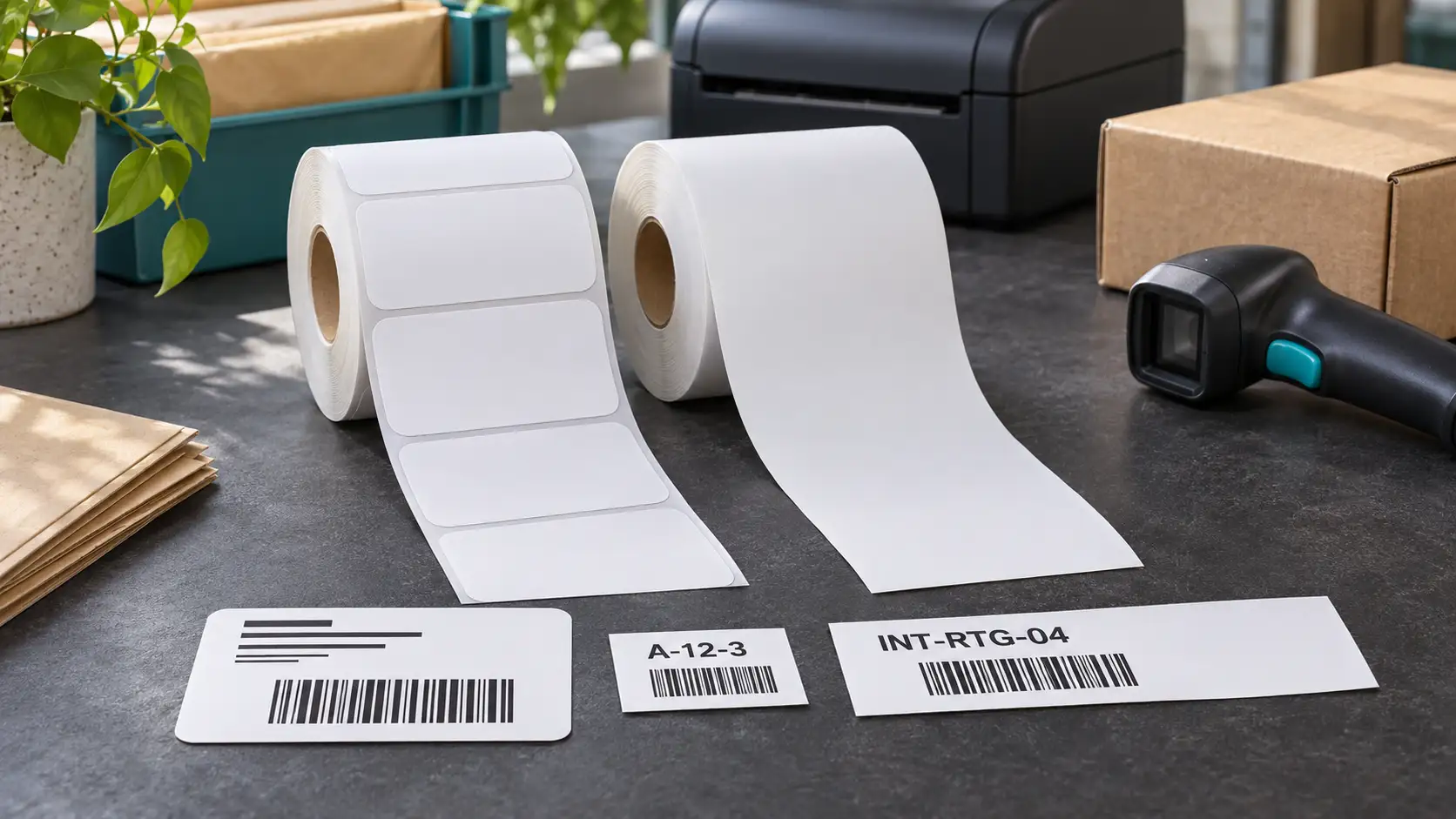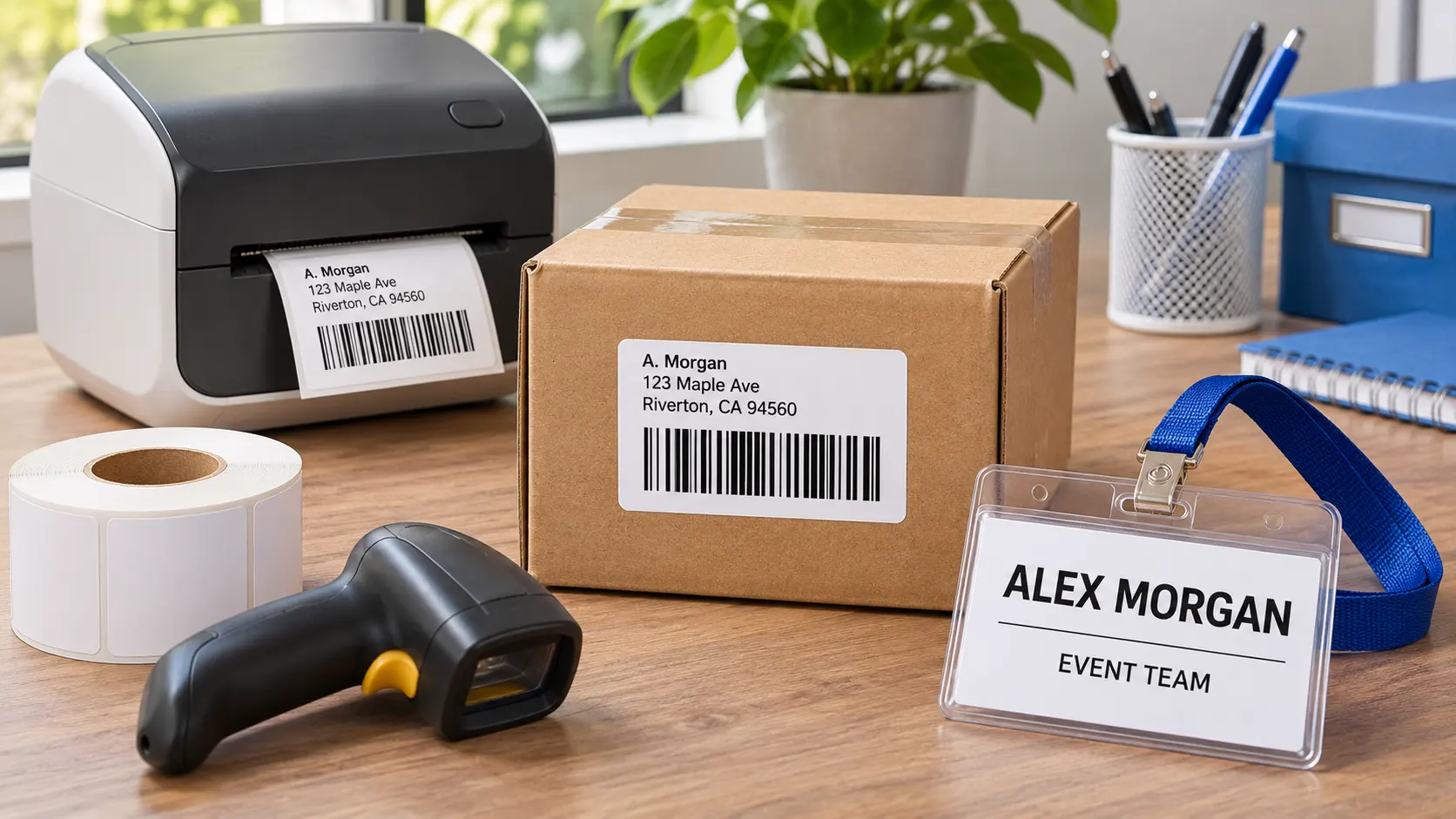

The answer depends on the shipping label you need to print. DK-1202 is a die-cut label measuring 2.4 by 3.9 inches, while DK-2205 is a continuous 2.4-inch-wide roll that the printer cuts to the length you set. Both can carry an address or a barcode, but neither is an automatic substitute for a carrier’s required 4 by 6-inch format. Before changing rolls, check the size specified by your shipping platform and test a real scan.
What actually changes when you switch rolls
The fixed width is similar, so the difference is mainly length and workflow. A DK-1202 layout already knows the boundary of every label. That makes repeated printing predictable: one record, one die-cut piece. A continuous DK-2205 layout requires you to choose or calculate the length. If the software trims too aggressively, an address line, tracking number, or barcode quiet zone may be lost. If it leaves too much blank space, material cost rises without adding useful information.
The continuous roll is useful when one job needs a short shelf label and the next needs a longer internal-routing label. It also accommodates changing address lengths without forcing everything into the same height. However, flexibility is not the same as carrier approval. A label that looks legible to a person may still be rejected by an automated sorting process if its dimensions, barcode size, or placement do not match the carrier template.
Decide by the format required downstream
First, open the label settings in the shipping service rather than starting with what is already loaded in the printer. Record the requested page size, orientation, and whether the service exports a PDF or a direct printer layout. If the template expects approximately 2.4 by 3.9 inches and supports Brother QL labels, a die-cut DK-1202-style label is the more straightforward choice. If you are printing an internal packing or return-routing label whose length is under your control, continuous stock may be more practical.
Next, confirm that the printer accepts the roll width. A Brother QL printer that handles 2.4-inch DK media may still have settings that need updating when you move between continuous and die-cut stock. Select the correct media type in the print dialog. Do not solve a wrong-media warning by shrinking the artwork until it fits; the resulting barcode may become too small. If the printer does not show the loaded media, reseat the cartridge frame and check the roll guides before changing the artwork.
Set up a safe test rather than printing a batch
Print one label containing the longest expected recipient name, the full return address, a tracking barcode, and any service code. Check the physical piece, not just the screen preview. The text should sit clear of the cutter edge, the barcode should have unprinted space around it, and no information should wrap over the label boundary. Scan the barcode with the device used at packing and, if possible, with a second scanner. A phone camera is a useful preliminary check but does not prove compatibility with every carrier scanner.
For continuous stock, test at least a short and a long record. Compare the cut length, not merely the printed image. A cutter setting that works with one sample can clip a longer address after a batch import. For die-cut stock, test alignment at the first, middle, and last labels of a short run. If the image gradually drifts, revisit media selection and template size instead of manually nudging each address block.
What if the shipping platform offers only one page size
Some platforms expose only a 4 by 6-inch label option even when a smaller QL printer is connected. In that case, the correct response is not to force the file onto either DK-2205 or DK-1202. Look for a platform setting that specifically supports a smaller Brother label, or use a printer and roll that match the platform’s standard format. If the platform can export the address separately from the carrier label, the smaller roll might still have a role for an internal packing slip or routing sticker. Keep the official tracking label in its approved size.
Does continuous stock save money
Not automatically. Measure the length of the ten most common labels you print on DK-2205 and compare the material used with ten DK-1202 pieces. Add the waste from lead-in, cut margins, and failed setup prints. A continuous roll may be efficient for variable-length tasks, but a fixed die-cut size can be faster and less error-prone when every record contains similar information. Include labor in the comparison: a cheaper strip that needs manual checking on every parcel may cost more overall than a predictable die-cut workflow.
How should a team standardize both rolls
Give each template a clear name containing the roll number and physical size. Keep the shipping platform’s label format in the same workstation instructions. Before a batch, an operator should check the loaded roll, selected printer, page size, and the first printed barcode. Store one approved sample with the procedure. When software or printer drivers change, rerun the sample before accepting the next large job. This simple control prevents a stock change from silently altering cut length or barcode scale.
Example decision for a mixed shipping desk
Suppose a team prints 80 carrier labels, 30 internal bin labels, and 15 return-routing notes each day. Start by asking the carrier which physical size its label requires. If it requires 4 by 6 inches, neither DK-1202 nor DK-2205 should be made to stand in for that output. Keep the carrier job on the approved printer. Next, test the 30 bin labels. If their content varies from one line to four, DK-2205 may cut each to a useful length. Finally, test the return notes. If they all contain the same fields and fit a 2.4 by 3.9-inch template, die-cut DK-1202 may be faster for that batch. This division assigns each roll to a job it can do reliably instead of forcing one roll to serve the entire desk.
Common failures and what they mean
When the printer adds excessive blank material before or after a design, the likely issue is a mismatched continuous-length setting or a margin in the source file. When the barcode prints but will not scan, check scaling, contrast, quiet zones, and the physical print for streaks. When the first label is correct but later labels are offset, verify that the printer is sensing the correct media type. If adhesive fails on a shipping carton, check the carton surface and application conditions rather than assuming that a different DK number will fix it.
The practical rule is to choose stock from the final output requirement backward. DK-2205 continuous labels are a useful option for variable-length 2.4-inch workflows. For broader comparisons of direct thermal stock, direct thermal labels can help you examine available formats. For a carrier-issued shipping label, keep the carrier specification in control and confirm the result with a physical scan before buying in volume.